
Introduction
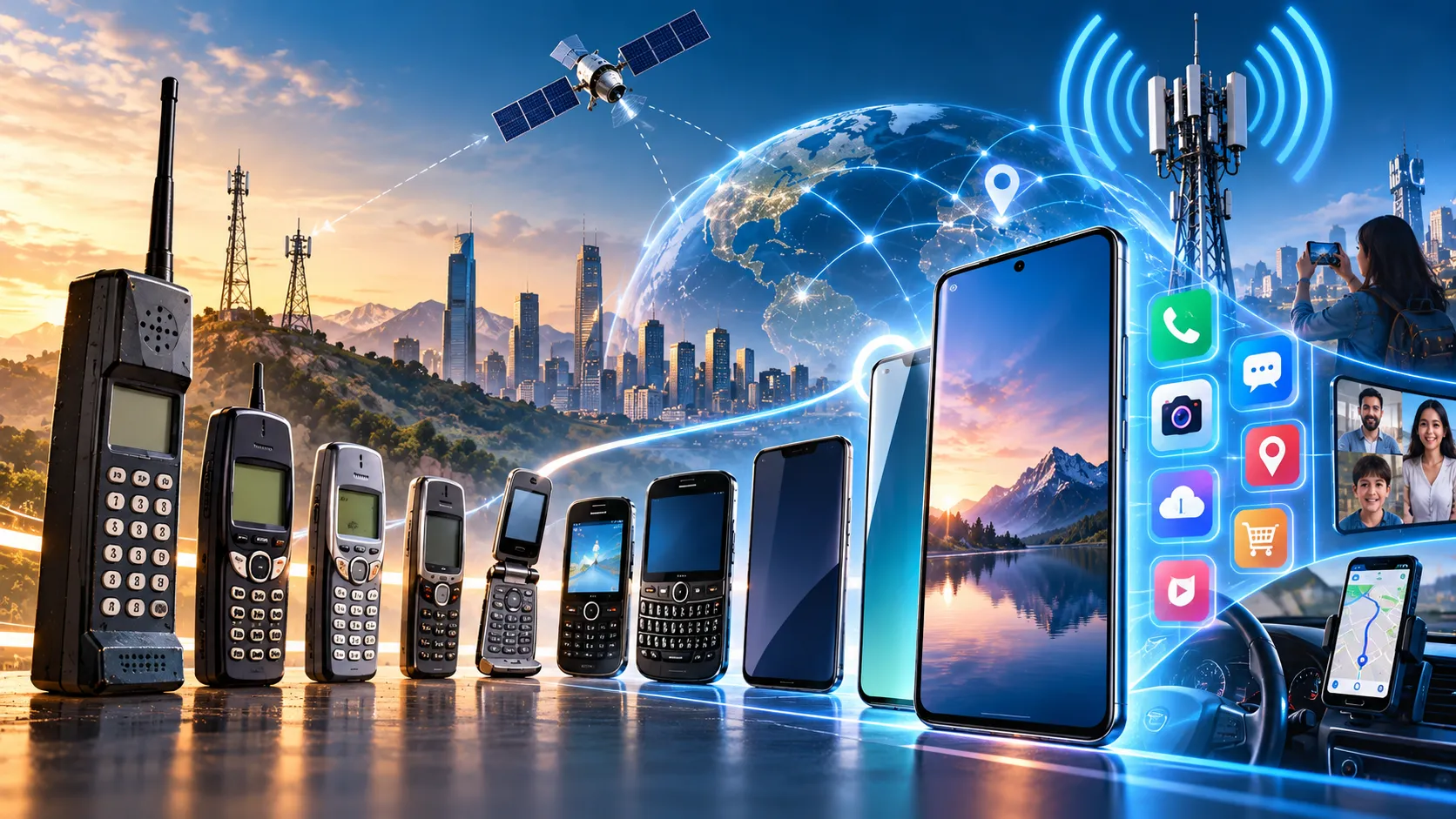
Mobile technology refers to portable computing and communication technologies that allow people to access information, communicate, run applications, and connect to networks while moving between locations. Smartphones are one of the most important examples because they combine the functions of a telephone, computer, camera, media player, navigation device, and Internet terminal in a single handheld device.
A modern smartphone contains a processor, memory, storage, wireless radios, cameras, sensors, a battery, and a mobile operating system. It can communicate through cellular networks such as 4G and 5G as well as Wi-Fi, Bluetooth, and other wireless technologies.
Mobile devices are now widely used for communication, education, banking, entertainment, navigation, healthcare, business, and access to cloud services. NIST notes that mobile devices have developed from personal communication tools into important devices for accessing networks, systems, and sensitive information.
Learning Objectives
After studying this guide, you should be able to:
Explain mobile technology and the main functions of smartphones.
Identify the major hardware components inside a smartphone.
Compare 1G, 2G, 3G, 4G, and 5G mobile networks.
Explain mobile operating systems, applications, sensors, and wireless technologies.
Describe how smartphones connect to the Internet and cloud services.
Identify important mobile security, privacy, battery, and performance concepts.
What is Mobile Technology?
Mobile technology includes hardware, software, and wireless communication systems designed for portable use.
Examples include smartphones, tablets, smartwatches, portable hotspots, vehicle communication systems, and some Internet of Things devices.
The main characteristics of mobile technology include:
Portability
Wireless communication
Battery-powered operation
Internet connectivity
Mobile applications
Location awareness
Touch-based interfaces
Built-in sensors
A smartphone combines most of these capabilities into one device.
What is a Smartphone?
A smartphone is a mobile phone with advanced computing capabilities. Unlike basic mobile phones designed mainly for calls and text messages, smartphones run complex operating systems and applications.
A typical smartphone can perform tasks such as:
Making voice and video calls
Sending messages
Browsing websites
Taking photographs and videos
Playing games
Streaming media
Using GPS navigation
Accessing email
Making digital payments
Connecting to cloud services
Running productivity applications
Smartphones can perform these tasks because they contain many of the same basic components found in computers.
Main Components of a Smartphone
Component | Main Function |
SoC / Processor | Executes instructions and coordinates computing tasks |
RAM | Holds active programs and data temporarily |
Storage | Stores apps, photos, videos, and system files |
Display | Presents visual information |
Touchscreen | Detects user touch input |
Battery | Supplies electrical energy |
Modem | Communicates with cellular networks |
Wi-Fi radio | Connects to wireless local networks |
Bluetooth radio | Connects nearby wireless devices |
GPS/GNSS receiver | Helps determine location |
Cameras | Capture images and video |
Sensors | Measure movement, orientation, light, proximity, and other conditions |
System on a Chip
Many smartphone components are integrated into a System on a Chip (SoC).
An SoC may contain:
Central processing unit (CPU)
Graphics processing unit (GPU)
Memory controllers
Artificial intelligence accelerators
Image-processing hardware
Communication components
Integration reduces the amount of physical space required inside the phone and can improve power efficiency.
CPU
The Central Processing Unit executes instructions required by the operating system and applications.
Tasks may include opening applications, performing calculations, managing files, and processing user input.
GPU
The Graphics Processing Unit specializes in graphics and highly parallel calculations.
It helps with:
User-interface animations
Games
Video
Image processing
Some artificial intelligence workloads
RAM and Storage
RAM and storage have different purposes.
RAM
Random Access Memory (RAM) temporarily stores information that applications and the operating system are actively using.
More RAM can allow more applications and data to remain available without being reloaded.
RAM is volatile, meaning its contents do not remain permanently when the device loses power.
Storage
Internal storage keeps information for longer periods.
It stores:
Operating-system files
Applications
Photos
Videos
Documents
Music
Downloaded files
Smartphones commonly use flash-based solid-state storage because it has no moving mechanical parts.
Mobile Operating Systems
A mobile operating system manages smartphone hardware and provides a platform on which applications run.
The two most widely recognized smartphone operating-system families are:
Android
iOS
Android
Android is an open-source, Linux-based software platform used across many device types. Google's Android documentation explains that the Linux kernel forms the foundation of the Android platform and provides functions such as threading, low-level memory management, and hardware-driver support.
A simplified Android architecture includes:
Applications
↓
Application Framework
↓
Android Runtime + Native Libraries
↓
Hardware Abstraction Layer
↓
Linux Kernel
↓
Hardware
The Hardware Abstraction Layer (HAL) provides standardized interfaces between higher-level software and hardware components such as cameras and Bluetooth hardware.
iOS
iOS is Apple's mobile operating system for the iPhone.
Like other modern mobile systems, it manages:
Applications
Memory
Hardware
Networking
Files
Security
User permissions
Apple's platform-security documentation describes multiple layers of hardware, system, application, encryption, and data-protection mechanisms used across its platforms.
Mobile Applications
A mobile application, or app, is software designed to run on a mobile device.
Examples include:
Messaging apps
Web browsers
Games
Banking apps
Navigation apps
Social media apps
Video players
Learning apps
Applications interact with the mobile operating system rather than directly controlling every hardware component.
For example, a camera application may request access to the camera through operating-system APIs.
Google's Android guidance describes modern apps as having separate architectural layers, commonly including a user-interface layer and a data layer.
Cellular Networks
Cellular networks divide geographic regions into coverage areas called cells.
Each cell is served by network equipment that communicates wirelessly with mobile devices.
A simplified connection is:
Smartphone
↓
Cellular Base Station
↓
Mobile Network
↓
Internet / Telephone Network
↓
Destination
As a user moves, the network can transfer the connection between coverage areas through a process called handover or handoff.
Generations of Mobile Networks
Mobile communication technology has developed through several generations.
Generation | Major Development | Typical Uses |
1G | Analog cellular communication | Voice |
2G | Digital cellular systems | Voice, SMS, basic data |
3G | Improved mobile data | Web access, video calling |
4G | High-speed IP-based broadband | Streaming, apps, HD video |
5G | Higher capacity, lower latency, massive connectivity | Broadband, IoT, advanced connected systems |
The International Telecommunication Union uses the names IMT-2000, IMT-Advanced, and IMT-2020 for international mobile telecommunications specifications broadly associated with 3G, 4G, and 5G generations.
1G
First-generation mobile networks introduced cellular voice communication.
They primarily used analog transmission and were designed mainly for telephone calls.
They provided little or no support for modern mobile data services.
2G
Second-generation systems introduced digital mobile communication.
Important developments included:
Digital voice
SMS text messaging
Better use of radio spectrum
Improved security compared with early analog systems
Limited mobile data
2G helped transform mobile phones from voice-only devices into broader communication tools.
3G
Third-generation networks significantly improved mobile data capabilities.
Users gained better support for:
Internet browsing
Email
Multimedia
Video calls
Mobile applications
ITU associates its IMT-2000 family of international mobile telecommunications standards with third-generation systems.
4G
Fourth-generation networks brought much faster mobile broadband and greater use of Internet Protocol-based communication.
Common 4G applications include:
HD video streaming
Video conferencing
Online gaming
Cloud applications
Social media
High-speed web access
ITU's IMT-Advanced specifications provide an international framework associated with fourth-generation mobile broadband.
5G
Fifth-generation networks are designed to support higher capacity, faster data communication, large numbers of connected devices, and low-delay applications.
ITU refers to its 5G framework as IMT-2020. It describes 5G as supporting applications ranging from enhanced mobile communications to smart cities, industrial automation, cloud services, virtual and augmented reality, and large-scale machine-to-machine communication.
Three frequently discussed 5G application areas are:
Enhanced Mobile Broadband (eMBB): high-capacity broadband for applications such as high-resolution video.
Ultra-Reliable and Low-Latency Communications (URLLC): communication designed for applications where reliability and delay can be critical.
Massive Machine-Type Communications (mMTC): connectivity for very large numbers of devices, such as sensors and Internet of Things equipment.
Wi-Fi
Wi-Fi allows smartphones to connect to wireless local-area networks.
A typical connection is:
Smartphone
↓
Wi-Fi Access Point / Router
↓
Internet Connection
↓
Internet
Unlike cellular networking, Wi-Fi normally provides local wireless access through a nearby access point.
Mobile devices can automatically switch between cellular data and Wi-Fi depending on configuration and network availability.
Bluetooth
Bluetooth is a short-range wireless technology commonly used to connect nearby devices.
Examples include:
Wireless headphones
Smartwatches
Keyboards
Car entertainment systems
Fitness trackers
Bluetooth is designed for relatively short-range device-to-device communication rather than wide-area cellular coverage.
NFC
Near Field Communication (NFC) allows devices to communicate over very short distances.
NFC is commonly used for:
Contactless payments
Access cards
Device pairing
Reading compatible tags
The short communication distance makes NFC suitable for actions where a user intentionally brings a phone close to another device or terminal.
GPS and GNSS
Smartphones can determine location using satellite navigation systems.
GPS, the Global Positioning System, is one example of a Global Navigation Satellite System (GNSS).
Phones may combine satellite information with:
Cellular network data
Wi-Fi information
Motion sensors
This improves location speed and accuracy in many situations.
Location services support applications such as:
Maps
Navigation
Ride services
Weather
Fitness tracking
Location sharing
Smartphone Sensors
Modern smartphones contain several sensors.
Sensor | Typical Purpose |
Accelerometer | Measures acceleration and motion |
Gyroscope | Measures rotation |
Magnetometer | Helps detect orientation relative to magnetic fields |
Proximity sensor | Detects nearby objects |
Ambient light sensor | Measures surrounding light |
Biometric sensor | Supports fingerprint or related authentication |
Barometer | Measures air pressure on supported devices |
Accelerometer
The accelerometer can detect movement and changes in orientation.
It helps applications recognize when the phone moves or changes position.
Gyroscope
A gyroscope measures rotational motion.
It is particularly useful for:
Games
Camera stabilization
Augmented reality
Motion tracking
Smartphone Cameras
Modern smartphones contain sophisticated digital camera systems.
Important components can include:
Image sensor
Lens
Image signal processor
Autofocus system
Optical stabilization
Flash
Computational photography also uses software and processing hardware to combine multiple images, reduce noise, adjust exposure, or create effects.
Therefore, smartphone image quality depends on more than the number of megapixels.
Battery Technology
Smartphones usually use rechargeable lithium-based batteries.
Battery capacity is commonly expressed in milliamp-hours (mAh), although capacity alone does not determine real-world battery life.
Actual battery life depends on factors such as:
Display power consumption
Processor workload
Network activity
Signal strength
Applications
Screen brightness
Battery condition
Device efficiency
A phone with a larger battery does not automatically have longer battery life if it also consumes considerably more energy.
Cloud Computing and Smartphones
Smartphones often depend on cloud computing.
Information may be stored or processed on remote servers rather than entirely on the device.
Examples include:
Cloud photo backups
Online email
Cloud storage
Streaming services
Online document editing
Synchronization between devices
Remote application data
A simplified model is:
Smartphone
↓
Wi-Fi / Cellular Network
↓
Internet
↓
Cloud Data Center
↓
Storage / Applications / Services
Cloud services allow users to access the same information from multiple devices.
Mobile Security
Smartphones often contain highly sensitive information, including:
Personal messages
Photographs
Contact details
Location information
Banking data
Authentication credentials
Business documents
NIST therefore recommends managing mobile-device security throughout the device lifecycle, including deployment, use, and disposal.
Important security measures include:
Screen locks
Strong authentication
Software updates
Application permissions
Encryption
Secure backups
Remote device management
Malware protection
Careful application installation
Authentication
Authentication confirms that a user is authorized to access a device or account.
Smartphones may use:
PINs
Passwords
Fingerprints
Facial recognition
Security keys
Multi-factor authentication
Biometric authentication provides convenience, but secure mobile systems normally combine biometric mechanisms with additional device-security controls.
Application Sandboxing
Modern smartphone operating systems use sandboxing to limit what individual applications can access.
An application generally should not be able to freely read another application's private information.
Apple, for example, identifies application sandboxing and controlled access to user data as important components of its application-security model.
Permissions may be required to access:
Camera
Microphone
Contacts
Location
Photos
Bluetooth devices
Users should review permissions and grant applications only the access they genuinely require.
Mobile Malware and Phishing
Mobile devices can be targeted by malicious software and social-engineering attacks.
Potential threats include:
Malware: harmful software intended to steal information, spy on users, or interfere with devices.
Phishing: fraudulent messages or websites designed to trick users into revealing passwords or financial information.
Malicious applications: apps containing unwanted or harmful code.
Unsafe networks: poorly secured wireless networks that may expose communications to additional risks.
NIST emphasizes that mobile security requires technical safeguards as well as appropriate policies and management practices.
Smartphones and Privacy
Smartphones can collect large amounts of information because they combine cameras, microphones, location systems, sensors, Internet connectivity, and personal accounts.
Privacy considerations include:
Which apps can access location
Whether microphone or camera access is necessary
How cloud backups are handled
Which companies receive analytics data
How long information is retained
Whether advertising systems track activity
Users should understand that security and privacy are related but different. A system can be technically secure while still collecting substantial information according to its policies.
Advantages of Smartphones
Smartphones provide many benefits:
Portable communication
Fast access to information
Navigation
Emergency communication
Photography and video
Mobile learning
Digital payments
Remote work
Entertainment
Health and fitness applications
Their main advantage is the integration of many computing and communication functions into one portable device.
Limitations and Challenges
Smartphones also have limitations.
Battery Life
Portable devices depend on stored electrical energy and require regular charging.
Small Displays
A smartphone screen is less suitable than a large monitor for some professional or complex tasks.
Security Risks
Lost devices, malicious applications, phishing, outdated software, and poor authentication can expose sensitive information.
Privacy
Mobile applications and services may process location, behavioral, communication, and device data.
Network Dependence
Many smartphone functions require reliable cellular or Wi-Fi connectivity.
Distraction
Frequent notifications and continuous access to applications can interfere with concentration if device use is not managed carefully.
Smartphone vs Feature Phone
Feature | Smartphone | Feature Phone |
Operating system | Advanced mobile OS | Simpler software platform |
Applications | Large app ecosystem | Limited apps |
Internet access | Advanced | Usually limited |
Touchscreen | Common | Optional |
Computing capability | High | Lower |
Cameras and sensors | Usually extensive | Usually fewer |
Primary purpose | General mobile computing | Communication |
Feature phones remain useful when simplicity, battery endurance, or basic communication is more important than advanced applications.
Mobile Technology vs Desktop Computing
Characteristic | Mobile Device | Desktop Computer |
Portability | High | Low |
Battery powered | Usually | Usually not |
Touch interface | Common | Optional |
Cellular connection | Common | Less common |
Replaceable components | Usually limited | Often greater |
Screen size | Smaller | Larger |
Built-in sensors | Extensive | Usually fewer |
Mobile and desktop systems increasingly share many computing concepts, but their design priorities differ.
Common Mistakes
Mistake 1: Wi-Fi and Mobile Data Are the Same
They both provide network connectivity but use different infrastructure.
Wi-Fi normally connects through a local access point, while cellular data uses a mobile operator's cellular network.
Mistake 2: 5G Means 5 GHz Wi-Fi
They are different concepts.
5G usually refers to fifth-generation mobile cellular technology.
5 GHz refers to a radio-frequency band used by technologies including some Wi-Fi systems.
Mistake 3: More Megapixels Always Mean a Better Camera
Megapixel count describes image resolution, but camera quality also depends on optics, sensor characteristics, image processing, stabilization, and software.
Mistake 4: RAM and Storage Are the Same
RAM temporarily supports active programs. Storage retains applications and files for longer periods.
Mistake 5: GPS Requires Mobile Data to Receive Satellite Signals
Satellite positioning itself does not require cellular Internet data, although network connectivity can improve location acquisition and provide map data or other supporting information.
Memory Tips
Remember the major wireless technologies with C-W-B-N-G:
Cellular
Wi-Fi
Bluetooth
NFC
GNSS
For smartphone hardware, remember:
Processing → Memory → Storage → Communication → Sensors → Power
For mobile generations:
1G = analog voice
2G = digital voice and messaging
3G = mobile Internet growth
4G = broadband
5G = advanced high-capacity connectivity
Summary
Mobile technology combines portable computing with wireless communication. Smartphones are advanced mobile computers containing processors, RAM, storage, cameras, sensors, wireless radios, batteries, and operating systems.
Cellular communication has developed through multiple generations. 1G focused on analog voice, while 2G introduced digital communication and messaging. 3G expanded mobile Internet access, 4G enabled high-speed broadband, and 5G supports greater capacity, low-latency applications, and connectivity for large numbers of devices.
Smartphones can also connect using Wi-Fi, Bluetooth, NFC, and satellite-navigation systems. Mobile operating systems such as Android and iOS manage hardware and provide platforms for applications.
Modern smartphones depend heavily on cloud services for storage, synchronization, streaming, communication, and online applications. Because phones contain sensitive personal and business information, security measures such as authentication, encryption, application permissions, software updates, and sandboxing are essential.
FAQ
1. What is mobile technology?
Mobile technology includes portable computing devices, software, and wireless communication systems that allow users to access digital services while moving between locations.
2. What makes a phone a smartphone?
A smartphone combines cellular communication with an advanced operating system, Internet connectivity, applications, computing hardware, and features such as cameras and sensors.
3. What is the difference between 4G and 5G?
4G provides high-speed mobile broadband, while 5G is designed to support greater capacity, lower-delay applications, and much larger numbers of connected devices. ITU associates the international frameworks IMT-Advanced and IMT-2020 with 4G and 5G respectively.
4. What is the difference between Wi-Fi and cellular data?
Wi-Fi normally connects a smartphone to a nearby wireless access point. Cellular data connects through a mobile network's cellular infrastructure.
5. What is an SoC?
A System on a Chip integrates several computing components, potentially including CPU, GPU, memory controllers, and specialized processors, into a single chip package or closely integrated system.
6. What does smartphone RAM do?
RAM temporarily stores programs and information currently being used by the operating system and applications.
7. Why do smartphones contain sensors?
Sensors allow phones to detect movement, rotation, orientation, nearby objects, light levels, location-related information, and other physical conditions.
8. What is NFC used for?
Near Field Communication supports very short-range communication and is commonly used for contactless payments, access systems, tags, and device pairing.
9. Why are mobile software updates important?
Updates can correct software defects, improve functionality, and fix known security vulnerabilities. NIST recommends security management throughout the mobile-device lifecycle.
10. Is a smartphone a computer?
Yes. A smartphone performs fundamental computing functions, including processing instructions, storing information, running an operating system and applications, and communicating through networks.
Key Takeaways
Smartphones combine portable computers with cellular communication and many built-in sensors.
Mobile networks evolved from analog 1G voice systems to modern 5G broadband and connected-device networks.
Smartphones communicate through cellular networks, Wi-Fi, Bluetooth, NFC, and satellite-navigation technologies.
Mobile operating systems manage hardware, applications, files, permissions, networking, and security.
Secure smartphone use requires updates, strong authentication, careful application permissions, and protection of sensitive data.
References
National Institute of Standards and Technology (NIST) — Guidelines for Managing the Security of Mobile Devices in the Enterprise, SP 800-124 Rev. 2. Covers smartphones, tablets, mobile-device security risks, enterprise mobility, device management, protection technologies, and the mobile-device lifecycle.
NIST SP 800-124 Rev. 2International Telecommunication Union (ITU) — 5G Networks / IMT-2020. Explains fifth-generation mobile communications and applications including enhanced connectivity, connected devices, industrial automation, and low-delay services.
ITU: 5G NetworksInternational Telecommunication Union (ITU) — Mobile Broadband Standards Development. Explains the IMT terminology associated with 3G, 4G, and 5G mobile communication standards.
ITU: Mobile Broadband StandardsInternational Telecommunication Union (ITU) — FAQ on International Mobile Telecommunications. Provides technical context for IMT-2000, IMT-Advanced, IMT-2020, and the developing IMT-2030 framework.
ITU-R IMT FAQAndroid Developers — Platform Architecture. Official documentation describing Android's Linux kernel, Hardware Abstraction Layer, runtime, libraries, and framework architecture.
Android Platform ArchitectureAndroid Developers — Guide to App Architecture. Official guidance explaining major layers and components used in modern Android applications.
Android App ArchitectureApple — Apple Platform Security. Official documentation covering hardware security, system security, encryption, data protection, and application security across Apple platforms.
Apple Platform SecurityApple — App Security Overview. Official documentation discussing code signing, application sandboxing, distribution controls, and protection of user data.
Apple App Security Overview