


 WordPress Quiz & Assessment Plugin
•
By Quizzes for Brain
QuizzesForBrain Studio – Quiz Maker & Assessments
The complete quiz maker, exam creator, and student assessment plugin for WordPress. Organize questions, track learner results, and publish tests with 25 question types.
What is QuizzesForBrain Studio?
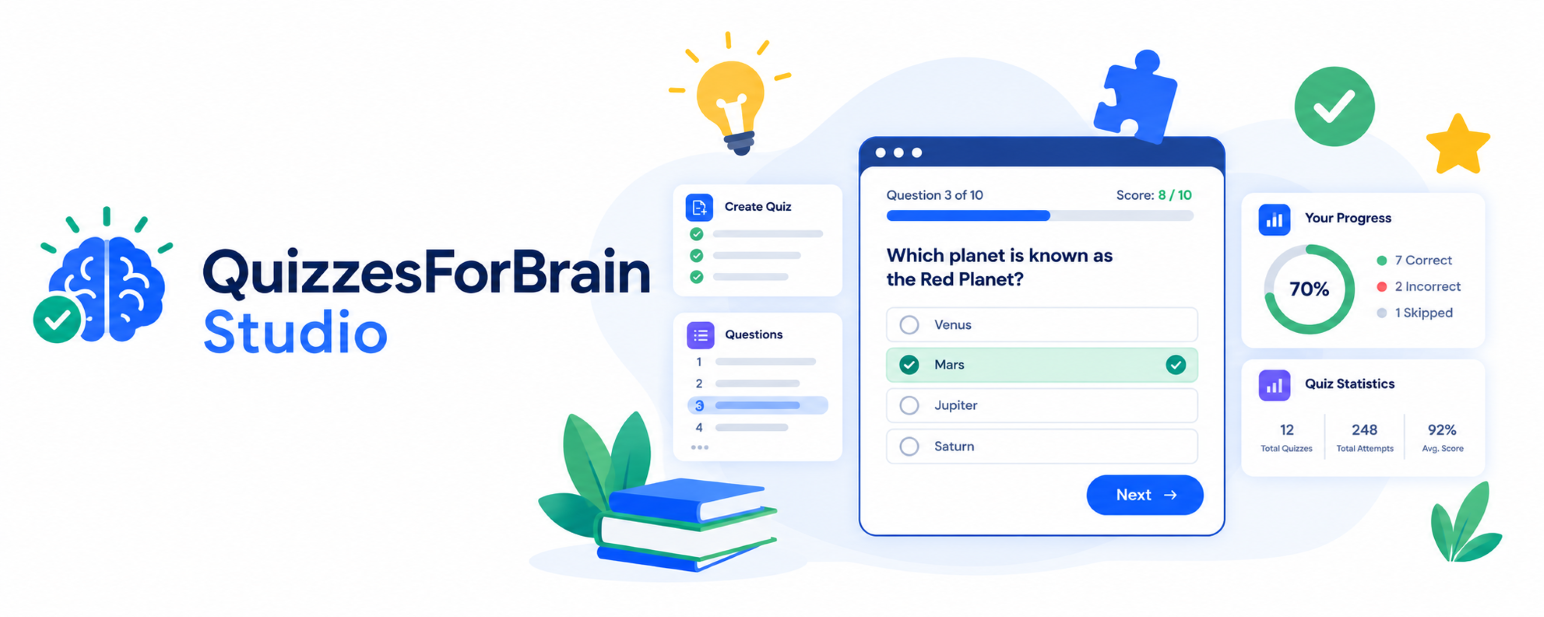
QuizzesForBrain Studio is an all-in-one quiz and assessment plugin for WordPress. It gives educators, trainers, and site owners the power to build online quizzes, graded exams, knowledge checks, and student evaluations without needing a heavy, bloated learning management system (LMS).
Group questions into intuitive categories and topics, publish them instantly with Gutenberg blocks or shortcodes, and give your students branded learner accounts where they can register, take tests, and review their scores. All quiz attempts and assessment statistics are stored securely in your WordPress database.
Flexible Plans for Every Assessment Need
Choose from our free WordPress quiz plugin or unlock advanced question banks and certificates.
Core quiz creation and learner accounts
- Single-choice questions, entered manually
- Core quiz creation with categories and topics
- Public quiz catalogue page
- Basic results with a "my results" page
- Learner accounts — sign-in and registration
- Responsive quiz interface with light & dark themes
- Two Gutenberg blocks and four shortcodes
No subscription or credit card needed.
Proceed with Free →10 auto-graded types, scheduling & integrations
- Single-choice questions, entered manually
- Core quiz creation with categories and topics
- Public quiz catalogue page
- Basic results with a "my results" page
- Learner accounts — sign-in and registration
- Responsive quiz interface with light & dark themes
- Two Gutenberg blocks and four shortcodes
- 10 supported auto-graded question types New in Gold
- Full import and export workflows New in Gold
- Quiz scheduling and access controls New in Gold
- Custom appearance & theme styling settings New in Gold
- Automated result emails to learners New in Gold
- GA4 event tracking and XML quiz sitemap New in Gold
Includes 1 year of updates & support via Freemius. Cancel anytime.
Proceed with Gold →All 25 question types, manual grading & reports
- Single-choice questions, entered manually
- Core quiz creation with categories and topics
- Public quiz catalogue page
- Basic results with a "my results" page
- Learner accounts — sign-in and registration
- Responsive quiz interface with light & dark themes
- Two Gutenberg blocks and four shortcodes
- 10 supported auto-graded question types
- Full import and export workflows
- Quiz scheduling and access controls
- Custom appearance & theme styling settings
- Automated result emails to learners
- GA4 event tracking and XML quiz sitemap
- All 25 question types (auto, manual & survey) New in Platinum
- Advanced bulk CSV/JSON import and export New in Platinum
- Manual grading workflow for assignments & essays New in Platinum
- Question bank & pool creation workflows New in Platinum
- Learner groups and cohort management New in Platinum
- Certificates of completion and engagement tools New in Platinum
- Advanced assessment reporting & analytics New in Platinum
- Quiz templates and revision history New in Platinum
- Unscored surveys & poll collection New in Platinum
Includes 1 year of priority updates & support via Freemius. Cancel anytime.
Proceed with Platinum →Support for 25 Question Types
From auto-graded objective exams to in-depth essays, code assessments, and customer satisfaction surveys.
Automatically Scored
- Single Choice (MCQ)
- True / False
- Multiple Correct Answers
- Fill in the Blank
- Short Answer
- Number Calculation
- Date Picker
- Chronological Ordering
- Matching Pairs
- Image Choice
- Audio with Choices
- Video with Choices
- Passage Comprehension
- Case Study Scenarios
- Interactive Image Hotspot
Manually Graded
- File & Assignment Upload
- Long Answer / Descriptive
- Structured Essay with Rubrics
- Programming & Code Response
Unscored Surveys
- Rating Scale
- Likert Scale
- NPS Slider
- Matrix Grid
- Ranking Survey
- Poll Survey
How It Works
Get up and running on your WordPress site in 3 simple steps.
Install the Plugin
Download free from WordPress.org or upload the ZIP package via Plugins > Add New in your admin panel.
Build Your Content
Add categories, topics and questions through the clean QuizzesForBrain Studio management dashboard.
Publish Anywhere
Embed using standard Gutenberg blocks or shortcodes on any post, page, or widgetized area.
Built-in Shortcodes & Embeds
Embed quizzes on Gutenberg, Elementor, Divi, Beaver Builder, or classic WordPress themes.
| Shortcode | Displays |
|---|---|
[qfbs_quiz_list]
|
The interactive quiz catalogue and topic index |
[qfbs_quiz id="1"]
|
A specific standalone quiz (replace 1 with your Quiz ID) |
[qfbs_account]
|
The learner account and sign-in / registration dashboard |
[qfbs_my_results]
|
The logged-in learner personal quiz attempt history |
Self-Hosted & Privacy-First
Unlike third-party SaaS quiz widgets that lock up your content, all quiz questions, student attempts, and results stay 100% inside your WordPress database. Fully compliant with WordPress privacy tools for student data export and erasure.
Plugin Compatibility
- WordPress: 6.3 or higher
- PHP: 7.4 or higher (PHP 8.x recommended)
- Editors: Block Editor (Gutenberg), Classic, Elementor, Divi
Frequently Asked Questions
Everything you need to know about setting up quizzes on your WordPress site.
Ready to create engaging quizzes on WordPress?
Install the free quiz maker from WordPress.org today or upgrade to Gold ($39/yr) or Platinum ($79/yr) for advanced assessments.