
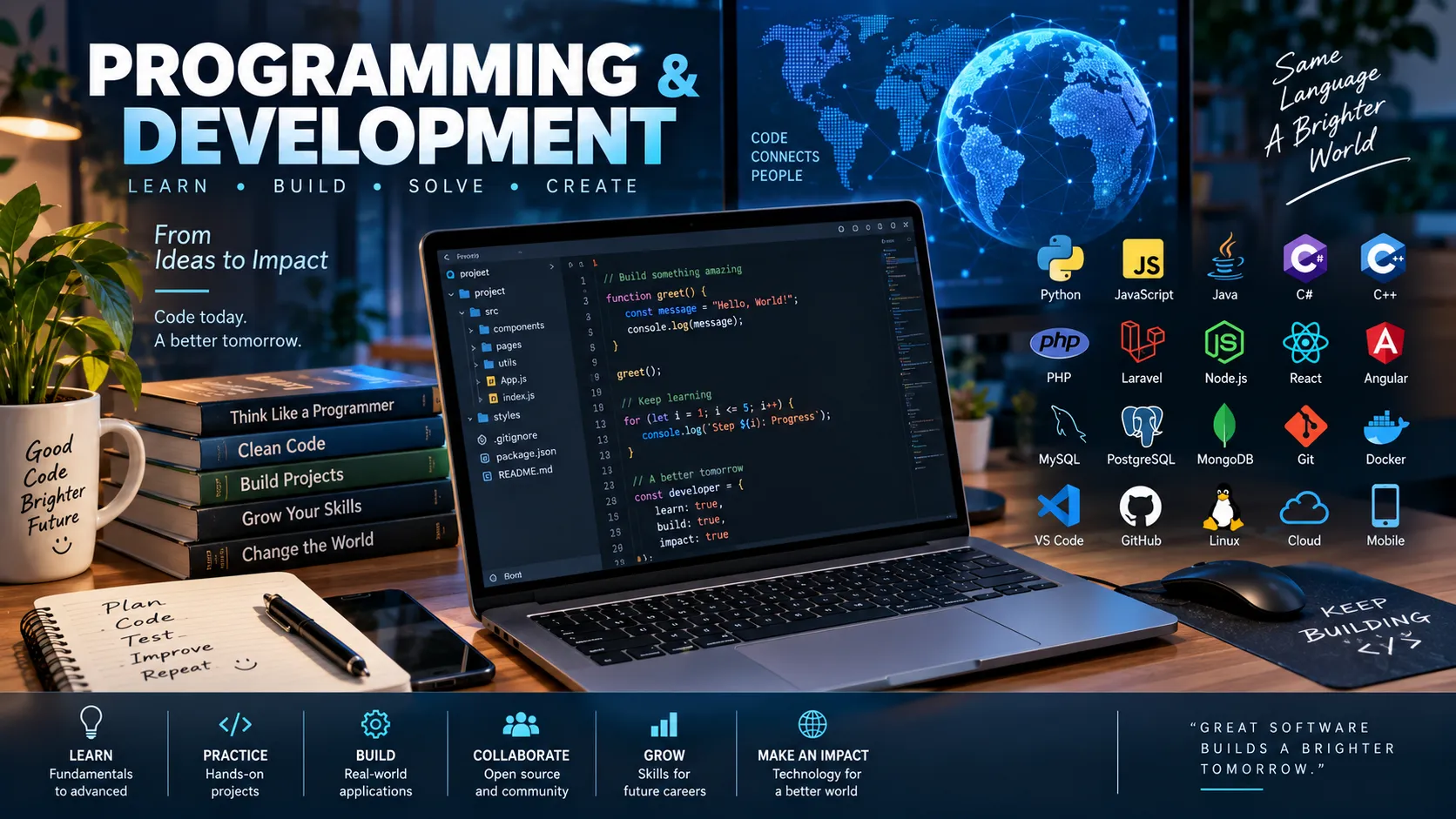
Introduction
Programming is the process of creating instructions that computers can execute. Software development is a broader activity that includes planning, designing, programming, testing, deploying, maintaining, and improving software.
Programs power websites, mobile apps, games, operating systems, banking systems, scientific tools, vehicles, communication networks, and many everyday devices. Learning programming develops more than coding ability: it also teaches logical thinking, problem-solving, debugging, and how complex systems can be broken into smaller parts.
Beginners do not need to memorize every programming language. The most important goal is to understand concepts such as variables, conditions, loops, functions, algorithms, data structures, testing, and version control. Once these foundations are clear, learning additional languages becomes much easier.
Learning Objectives
After studying this guide, you should be able to:
· Explain the difference between programming, coding, and software development.
· Understand variables, data types, conditions, loops, functions, and objects.
· Explain algorithms and common data structures.
· Distinguish compiled and interpreted programming approaches.
· Describe the main stages of the software development life cycle.
· Understand debugging, testing, APIs, databases, version control, and basic software security.
What Is Programming?
Programming is the process of designing and writing instructions that tell a computer what to do.
These instructions are written in a programming language, such as Python, JavaScript, Java, C, C++, C#, Go, or Rust.
A program might instruct a computer to:
· Add numbers.
· Display information.
· Sort a list.
· Store user details.
· Process an online payment.
· Move a game character.
· Analyze scientific data.
· Communicate with another computer.
Programming involves both writing code and deciding how a problem should be solved.
Coding vs. Programming vs. Software Development
These terms are related but are not completely identical.
Coding usually means writing instructions in a programming language.
Programming includes coding but also involves designing algorithms, choosing data structures, debugging, and solving computational problems.
Software development is broader still. It can include requirements gathering, interface design, architecture, programming, testing, security, deployment, maintenance, documentation, and project management.
A developer therefore does more than simply type code.
What Is a Programming Language?
A programming language is a formal language used to express instructions that a computer can process.
Programming languages have rules called syntax. Syntax determines how instructions must be written.
For example, Python might calculate a total like this:
price = 20quantity = 3total = price * quantityprint(total)The output is:
60Different languages use different syntax, but many share the same fundamental concepts.
Major Types of Programming Languages
Programming languages can be classified in several ways.
High-Level Languages
High-level languages are designed to be easier for humans to read and write.
Examples include:
· Python
· JavaScript
· Java
· C#
· Swift
· Kotlin
They hide many details of how the computer's processor and memory work.
Low-Level Languages
Low-level languages provide greater control over computer hardware.
Machine code consists of instructions directly understood by a processor.
Assembly language provides human-readable representations of low-level machine instructions.
Low-level programming can be useful for operating systems, device drivers, embedded systems, and other software where hardware control or performance is important.
Compilers and Interpreters
Computers ultimately need instructions in machine-readable form.
A compiler generally translates source code into another form before the program runs. That output may be machine code, bytecode, or another intermediate representation.
An interpreter executes or evaluates program instructions through another program.
The distinction is not always absolute. Modern programming systems may combine compilation, interpretation, virtual machines, and just-in-time compilation.
The important quiz concept is:
Source code must eventually be translated into instructions the computer can execute.
Variables and Constants
A variable is a named location or reference used to store data that a program needs.
For example:
score = 75username = "Alex"Here, score stores a number and username stores text.
A constant is a value intended not to change while a program runs or within a particular part of the program.
Variables allow software to work with changing information such as account balances, game scores, temperatures, or user input.
Data Types
A data type describes the kind of data being stored or processed.
Common types include:
Data Type | Example | Purpose |
Integer |
| Whole numbers |
Floating-point number |
| Numbers with fractional parts |
String |
| Text |
Boolean |
| True/false values |
Array or list |
| Collection of values |
Object |
| Related data grouped together |
Different languages use different names and rules for these types.
Operators
Operators perform actions on values.
Arithmetic operators include:
+ Addition- Subtraction* Multiplication/ DivisionComparison operators test relationships:
== Equal to!= Not equal to> Greater than< Less thanLogical operators combine conditions.
Examples include AND, OR, and NOT.
These operators allow programs to perform calculations and make decisions.
Conditional Statements
Programs often need to choose between different actions.
A conditional statement executes code depending on whether a condition is true or false.
For example:
age = 18 if age >= 18: print("Adult")else: print("Minor")The condition is age >= 18.
Conditional logic is used in login systems, games, online stores, banking software, and almost every other type of program.
Loops
A loop repeats instructions.
Suppose a program needs to print the numbers 1 through 5. Instead of writing five separate commands, it can use a loop:
for number in range(1, 6): print(number)Two common loop concepts are:
For loops usually repeat over a sequence or known range.
While loops continue while a condition remains true.
Loops make repetitive tasks efficient, but incorrectly designed loops can continue forever. This is called an infinite loop.
Functions
A function is a reusable block of code designed to perform a particular task.
For example:
def greet(name): return "Hello, " + nameThe function can then be reused:
greet("Sam")greet("Priya")Functions help developers divide large programs into smaller, understandable parts.
This principle is called modularity.
Good modular design can make software easier to test, reuse, maintain, and debug.
Algorithms
An algorithm is a clear sequence of steps for solving a problem or completing a task.
A recipe is a useful everyday comparison. It takes inputs, follows steps, and produces a result.
For example, an algorithm for finding the largest number in a list could:
1. Treat the first number as the current largest.
2. Compare it with the next number.
3. Replace the current largest if the new number is bigger.
4. Continue until every number has been checked.
5. Return the largest number.
Programming languages express algorithms in executable form.
Algorithm Efficiency
Two algorithms may solve the same problem but require very different amounts of time or memory.
Computer scientists analyze how efficiently algorithms scale as the amount of data increases.
Big O notation is commonly used to describe how an algorithm's resource requirements grow.
Examples include:
Complexity | Common Description |
O(1) | Constant |
O(log n) | Logarithmic |
O(n) | Linear |
O(n log n) | Linearithmic |
O(n²) | Quadratic |
Beginners do not need to memorize advanced complexity analysis immediately, but they should understand that choosing a good algorithm can strongly affect program performance.
Data Structures
A data structure is a way of organizing information so a program can use it efficiently.
Arrays and Lists
Arrays and lists store multiple values in an ordered collection.
Example:
cities = ["Tokyo", "Nairobi", "Lima"]Stacks
A stack commonly follows the principle:
Last In, First Out (LIFO).
Imagine a stack of plates. The last plate placed on top is normally the first one removed.
Queues
A queue commonly follows:
First In, First Out (FIFO).
A line of people waiting for service is a useful comparison.
Dictionaries and Maps
These structures store information as key-value pairs.
For example:
name → Aminaage → 16country → KenyaTrees
A tree stores information in a hierarchical structure.
Trees can represent file systems, website structures, organizational charts, and search indexes.
Graphs
A graph represents objects and connections between them.
Graphs can model road networks, social networks, airline routes, communication systems, and many other connected systems.
Object-Oriented Programming
Object-oriented programming, or OOP, organizes software around objects containing data and behavior.
A class commonly acts as a blueprint, while an object is an instance created from that class.
For example, a Car class might describe:
· Brand
· Speed
· Color
· Start behavior
· Brake behavior
Individual car objects could then contain different brands, speeds, and colors.
Important OOP concepts include encapsulation, inheritance, abstraction, and polymorphism.
Not every program needs object-oriented design, and some programming languages support several programming styles.
Front-End and Back-End Development
Web development is commonly divided into front-end and back-end work.
Front-End Development
The front end is the part of a website or application that users directly see and interact with.
Common web technologies include:
HTML for page structure.
CSS for presentation and visual styling.
JavaScript for behavior and interactivity.
MDN's JavaScript learning materials cover core concepts such as variables, arrays, conditions, loops, functions, objects, events, network requests, and debugging.
Back-End Development
The back end handles operations that usually happen on servers.
Back-end systems may:
· Authenticate users.
· Access databases.
· Process payments.
· Apply business rules.
· Send emails.
· Communicate with other services.
· Provide information to front-end applications.
Languages commonly used for back-end development include Python, JavaScript, Java, C#, Go, PHP, and others.
Databases
A database stores organized information so applications can retrieve and modify it.
A social network might store:
UsersPostsCommentsMessagesFriendshipsRelational Databases
Relational databases organize information mainly into tables containing rows and columns.
SQL, or Structured Query Language, is widely used to work with relational databases.
NoSQL Databases
The term NoSQL covers several database approaches that do not rely primarily on the traditional relational table model.
These may include document, key-value, graph, and wide-column databases.
The best database choice depends on the application's data and requirements.
APIs
API stands for Application Programming Interface.
An API provides defined ways for software components to communicate.
For example, a weather application might request weather information from a remote service through an API instead of collecting atmospheric measurements itself.
Web APIs frequently exchange data using formats such as JSON.
APIs make it possible to connect payment systems, maps, social platforms, databases, authentication services, and many other technologies.
Bugs and Debugging
A bug is an error or defect that causes software to behave incorrectly.
Common categories include:
Syntax errors: the code breaks a language's grammatical rules.
Runtime errors: a problem occurs while the program is running.
Logic errors: the program runs but produces incorrect results.
Debugging is the process of finding, understanding, and correcting such problems.
Developers may use error messages, logs, breakpoints, debuggers, tests, and careful inspection to locate bugs.
Software Testing
Testing checks whether software behaves as expected.
Unit Testing
A unit test checks a small part of a program, such as one function.
Integration Testing
Integration testing checks whether multiple components work correctly together.
System Testing
System testing evaluates the behavior of the complete application.
Regression Testing
Regression testing checks that a new change has not broken functionality that previously worked.
Testing does not prove that software contains no bugs, but it can greatly reduce the chance of releasing known or detectable defects.
Version Control and Git
Developers frequently modify the same project over months or years. They need a reliable way to record those changes.
A version control system records changes to files over time so earlier versions can be examined or restored.
Git is a widely used version control system.
A Git workflow commonly involves concepts such as:
· Repository
· Commit
· Branch
· Merge
· Clone
· Pull
· Push
Git allows developers to create repositories, track files, commit changes, examine history, compare versions, and work with remote repositories.
Version control is particularly valuable when several developers collaborate on the same codebase.
The Software Development Life Cycle
The Software Development Life Cycle (SDLC) describes the broad process used to create and maintain software.
A simplified sequence is:
1. Requirements
Developers determine what problem the software must solve and what users need.
2. Design
The team decides how the software should work, including its architecture, data, interfaces, and major components.
3. Implementation
Developers write the source code.
4. Testing
The software is checked for defects and whether it satisfies its requirements.
5. Deployment
The application is released into the environment where users or other systems can access it.
6. Maintenance
Developers fix defects, improve features, strengthen security, and adapt the software to new requirements.
In real projects, these stages often overlap rather than occurring only once in a strict sequence.
Agile Development
Agile development is a family of approaches that emphasizes shorter development cycles, collaboration, feedback, and adaptation.
Instead of attempting to plan every detail before development begins, teams may build software in smaller increments.
A team might develop a feature, test it, gather feedback, and improve it before moving to the next stage.
Agile does not mean working without planning. It means planning and adapting repeatedly as information changes.
Software Security
Security should be considered throughout software development rather than added only after a product is completed.
Developers should consider issues such as:
· Authentication
· Authorization
· Input validation
· Encryption
· Secure configuration
· Dependency management
· Logging
· Access control
· Protection of sensitive data
NIST's Secure Software Development Framework recommends integrating secure development practices throughout the software life cycle to reduce vulnerabilities and their potential impact.
For web applications, the OWASP Top 10 is a widely used awareness resource describing major categories of application security risk.
Libraries and Frameworks
Developers rarely create every feature from nothing.
A library is reusable code that provides functions or tools a developer can call.
A framework provides a larger structure for building an application.
A useful simplified distinction is:
Library: your code calls the library.
Framework: the framework provides much of the structure in which your code operates.
The exact boundary can sometimes be unclear because modern development tools may combine characteristics of both.
Source Code and Executable Programs
Source code is the human-readable code written by developers.
An executable is a program in a form that a computer can run in a particular environment.
Source code may go through several stages before execution, including compilation, linking, bytecode generation, interpretation, or just-in-time compilation.
Open-Source and Proprietary Software
Open-source software makes its source code available under a license that permits specified forms of use, study, modification, and distribution.
Proprietary software is controlled by an owner under licensing terms that usually restrict access to or modification of the source code.
Open source does not simply mean "free of charge." The important feature is the licensing of source code and associated rights.
Common Programming Mistakes
Confusing a Programming Language With an Application
Python and JavaScript are programming languages. A web browser, game, or word processor is an application.
Believing One Language Is Best for Everything
Different languages are designed around different goals and ecosystems. A language suited to web interfaces may not be the best choice for an embedded device or operating-system component.
Memorizing Syntax Without Learning Problem-Solving
Developers frequently consult documentation. Understanding algorithms, program structure, and debugging is more valuable than memorizing every command.
Ignoring Error Messages
Error messages often contain information about what failed and where the problem occurred.
Writing One Huge Program Block
Large programs become difficult to understand when they are not separated into functions, modules, classes, or other logical components.
Treating Security as a Final Step
Security weaknesses can originate in design, coding, configuration, dependencies, deployment, and maintenance. Secure development therefore needs to occur throughout the software life cycle.
Memory Tips
Remember these fundamental relationships:
Variable = stores data
Condition = makes a decision
Loop = repeats
Function = reusable task
Algorithm = problem-solving steps
Data structure = organizes data
Bug = software defect
Debugging = finding and fixing defects
API = software-to-software interface
Git = version control
A useful summary of development is:
Plan → Design → Code → Test → Deploy → Maintain
Summary
Programming involves designing instructions that computers can execute. Coding is the act of writing those instructions, while software development includes the broader process of planning, building, testing, deploying, securing, and maintaining software.
Core programming concepts include variables, data types, operators, conditions, loops, functions, algorithms, and data structures. These concepts appear across many different programming languages.
Modern developers also need to understand databases, APIs, version control, testing, debugging, security, libraries, frameworks, and software development workflows.
No developer knows every language or tool. Strong programmers learn how to analyze problems, divide them into manageable parts, find reliable documentation, test their assumptions, and continually improve their solutions.
FAQ
1. What is programming?
Programming is the process of designing and writing instructions that a computer can execute.
2. What is the difference between coding and programming?
Coding mainly refers to writing source code. Programming also includes problem-solving, algorithms, debugging, testing, and program design.
3. What programming language should beginners learn?
There is no universal first language. Python is often approachable for general programming, while JavaScript is essential for learning interactive web development. The best choice depends on what the learner wants to build.
4. What is an algorithm?
An algorithm is a defined sequence of steps used to solve a problem or complete a task.
5. What is a bug?
A bug is an error or defect in software that causes incorrect or unexpected behavior.
6. What does a compiler do?
A compiler translates source code into another representation, which may ultimately be executed by a computer.
7. What is an API?
An API is an interface that defines how software components can communicate or request services from one another.
8. What is Git used for?
Git tracks changes to files, maintains project history, supports branching, and helps developers collaborate on software.
9. What is the difference between front-end and back-end development?
Front-end development focuses mainly on the parts of an application users interact with directly. Back-end development handles server-side logic, databases, authentication, APIs, and related services.
10. Why is testing important?
Testing helps developers detect defects, verify expected behavior, and reduce the risk that new changes will break existing features.
Key Takeaways
· Programming uses languages to express instructions and algorithms that computers can execute.
· Variables, conditions, loops, functions, algorithms, and data structures are core concepts shared by many languages.
· Software development includes design, coding, testing, deployment, maintenance, security, and collaboration.
· APIs, databases, Git, debugging, and automated testing are essential tools and concepts in modern development.
· Strong developers focus on problem-solving and reliable software design rather than trying to memorize every language feature.
Related Topics
· Computer Science Fundamentals
· Algorithms and Data Structures
· Programming Languages
· Python Programming
· JavaScript and Web Development
· Databases and SQL
· APIs and Web Services
· Git and Version Control
· Cybersecurity Fundamentals
· Software Testing and Debugging
References
1. Python Software Foundation. Python Documentation. Official documentation covering Python's language, standard library, tutorials, and development resources.
2. Mozilla Developer Network (MDN). JavaScript Guide. Documentation covering JavaScript syntax, types, control flow, functions, collections, objects, classes, modules, and other language features.
3. Mozilla Developer Network (MDN). JavaScript Fundamentals. Beginner curriculum covering variables, arrays, conditionals, loops, functions, objects, network requests, JSON, and debugging.
4. Git Project. Pro Git — About Version Control. Official Git documentation explaining version control concepts.
5. Git Project. Pro Git — Git Basics. Official documentation covering repositories, tracking files, commits, history, and remote repositories.
6. National Institute of Standards and Technology. NIST SP 800-218: Secure Software Development Framework (SSDF) Version 1.1. Guidance for integrating secure software-development practices into the SDLC.
7. OWASP Foundation. OWASP Top Ten Web Application Security Risks. Awareness guidance covering major categories of web-application security risk.